point2point - web site design, development and hosting
  • 0 Shopping Cart
  • Home
  • Services
    • Browse All
    • Logo Design & Branding
    • Web Consulting Plans
    • ADA Compliance Solution
    • Register a New Domain
    • Transfer Domains to Us
  • Announcements
  • Knowledgebase
  • Network Status
  • Affiliates
  • Contact Us
  • More
  • Account
    • Login
    • Forgot Password?
  1. Portal Home
  2. Knowledgebase
  3. How to
  4. How to renew a domain(s) name

  Categories

Customer Questions
1
E-mail Setup
1
How to
9

  Categories

  Support

My Support Tickets
Announcements
Knowledgebase
Downloads
Network Status
Open Ticket

How to renew a domain(s) name Print

  • 0

  1) Login at www.point2pointclients.com

     You will have received this password  via email. when your account was created 
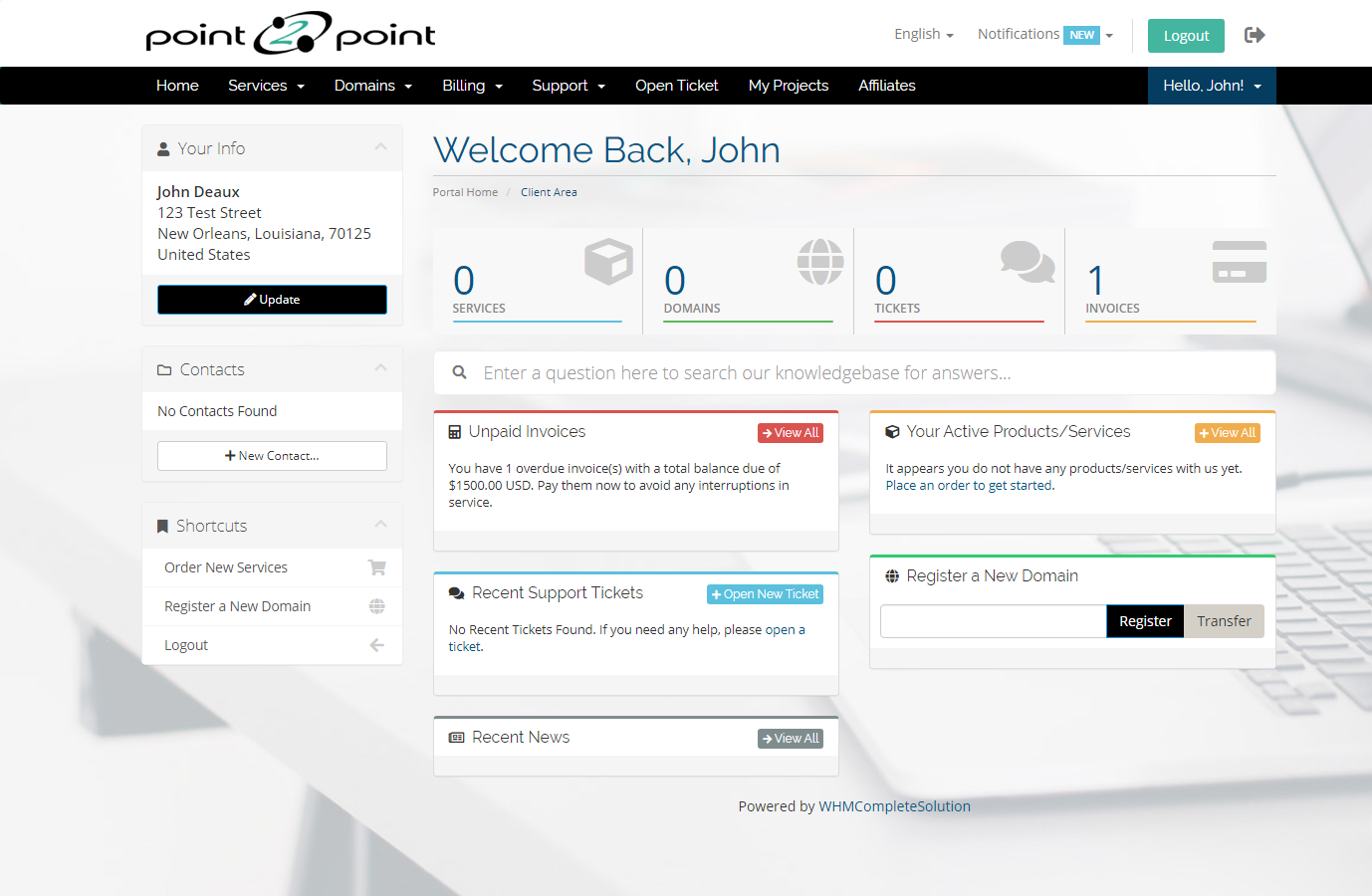


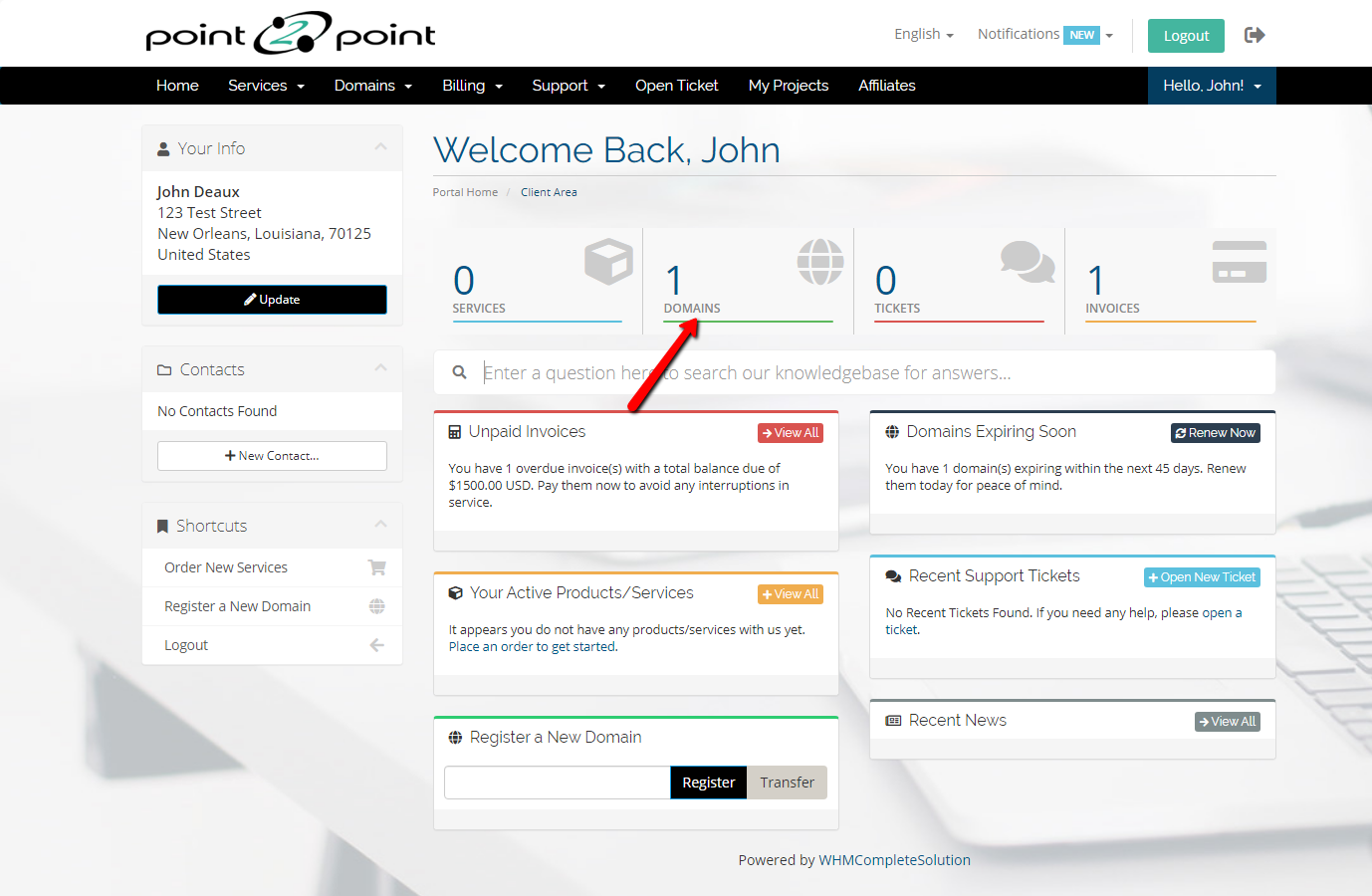
2) Click on Domains
TA5C6n7ac8KU5Olz5kHc_qaJ0Iq7gltxRMKGQ4nAsw7jrBVoQAxFkFugnfflGeaPeAJaK8EWQmlDJ4tQiz1SRdl8qO5no1zgLIIxYcUrrPdgBVXPq7I02zCDkhAp9-1yXtWJ0sZ3


3) Click on the drop down button beside the wrench button and choose Renew


c2_LfJ1z7Pa9D92aqYJ-aO85PPjRoosy3Ug0AEePKSVrifHGdcr8LhjY-WvB6Xi7ULxQ4nCT3XLs12XJ5qVWfNIfTtCubHdI1zquPFoXOSXiMZEuG3YYVNbGG2wY-eAH_uLLsn_v


4) Click on your chosen domain and select the package you want then click continue

hdPPgINCaAmX-gWyeQMmoq5JDaj4t52z-dAHEcmghCnfeTqFwVEXJfjXEbQZD0N4n_CEro8QtovGEPpAGahKpy75jDUirk_Rm6Zm8FdTPTxKO68m4APImiZfI8B1gE_MGmFb2rbz

5) Click checkout

E5f8b99m78GFAYcOGIDgo_KWI0UXytae_8BEFsylagqlI0G97x2pbFDR8MuY1L9fWA2Fu9ltNhIDEo1U3k3Ilu44TYqSh9WaFN8d_bUZco2BPUo2tfHIw5NtfTwplja92a8LbC4v


Was this answer helpful?

Related Articles

How to pay invoice    1) Login at www.point2pointclients.com      You will have received this password  via email.... How to manage nameservers on a domain   1) Login at www.point2pointclients.com      You will have received this password  via email.... How to edit or update contact info of a domain name   1) Login at www.point2pointclients.com      You will have received this password  via email.... How to request a EPP authorization code   1) Login at www.point2pointclients.com      You will have received this password  via email.... How to unlock a domain name   1) Login at www.point2pointclients.com      You will have received this password  via email....
« Back

  Support

My Support Tickets
Announcements
Knowledgebase
Downloads
Network Status
Open Ticket

Copyright © 2025 point2point - web site design, development and hosting. All Rights Reserved.


Loading...
Loading...
Choose language
العربية
Azerbaijani
Català
中文
Hrvatski
Čeština
Dansk
Nederlands
English
Estonian
Persian
Français
Deutsch
עברית
Magyar
Italiano
Macedonian
Norwegian
Português
Português
Română
Русский
Español
Svenska
Türkçe
Українська

Generate Password

Please enter a number between 8 and 64 for the password length